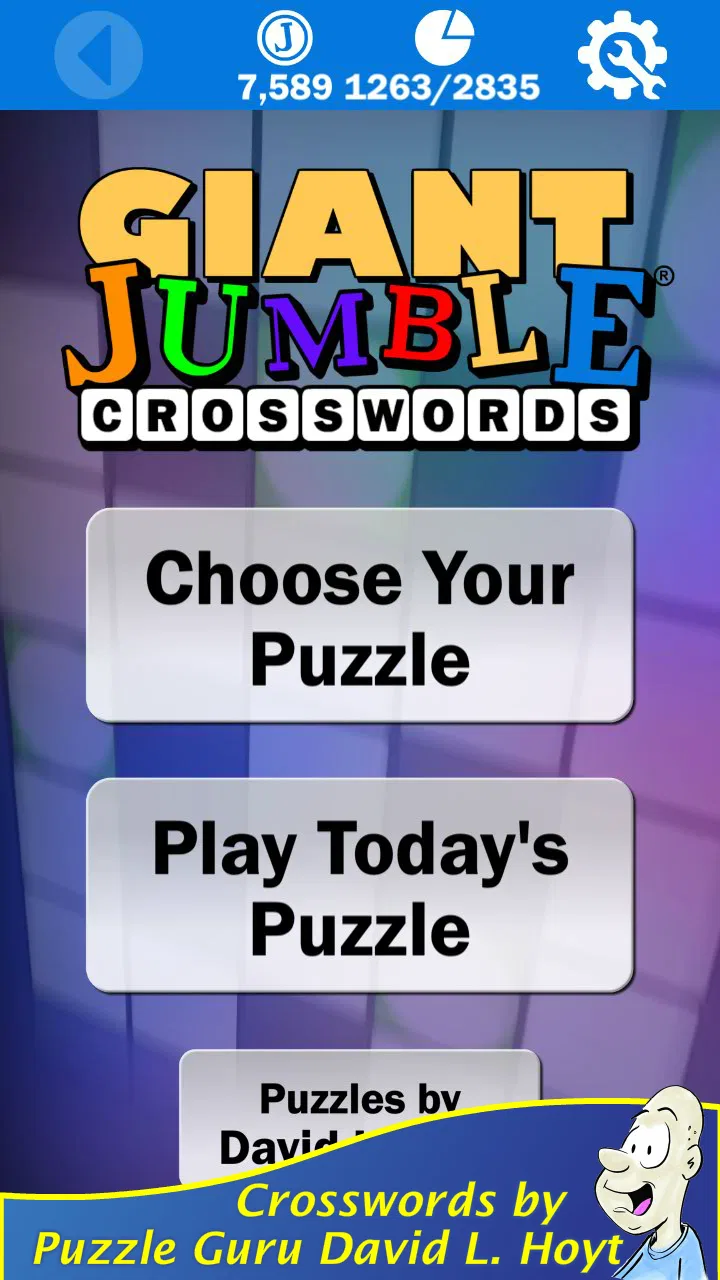
Giant Jumble Crosswords
- 4.8
- Rating
- 100.00K
- Installs
- Free
- Price
 Analysis by App-foxy
When a word game is going to live on a shared phone or tablet, the important question is not only whether the puzzles are enjoyable. I also want to know whether different people can pick it up easily, whether progress creates awkward handoffs, and whether the game suits the ages and habits of everyone using the device. Giant Jumble Crosswords fits that kind of casual household use surprisingly well. I found it approachable in short sessions, but it still gave me enough resistance to make solving feel worthwhile rather than automatic.
This is a free word game from Just 2 Fun, built around large Jumble Crossword puzzles and the familiar challenge of working through mixed-up words. Its connection with Jumble author David L. Hoyt gives the format a clear identity, but the real appeal is practical: I can open it for a few minutes, solve one clue, pass the device to someone else, and return later without needing to learn a complicated control scheme. It is available for Everyone, and the current release is version 3.2.1 for devices running Android 6.0 or later.
How it works on a shared household device
My favorite way to use Giant Jumble Crosswords is as a pass-and-play puzzle rather than as a private, uninterrupted game. One person can begin a crossword while waiting for dinner, another can take over afterward, and a third can contribute a word when the screen is left on the coffee table. That rhythm suits the format because solving does not depend on fast reflexes or a continuous story. A player can think for a while, stop, and let somebody else inspect the same puzzle.
You May Also Like

 Blood Strike: 2.5 Anniversary
Blood Strike’s Loadouts Turn Every Drop Into a Tactical Gamble
A close look at Blood Strike’s custom loadouts: how fast access to signature weapons reshapes its battle royale rhythm, rewards preparation, and narrows the gap between fights.

 Pandora - Music & Podcasts
Pandora’s Music Is Easy to Start, but Harder to Recover
Pandora’s strength is its low-effort path from a seed to a station. Its weak spot is how much confidence it asks you to place in connection, setup, and quiet recovery.

 8 Ball Pool
8 Ball Pool Is Built on Rivalries, Rematches, and Routine
A close look at the rivalries, rematches, shared routines, and unanswered safety questions that turn a quick pool match into a persistent mobile community.

 Samsung Music
Samsung Music’s Quiet Strength Is Playing What You Already Own
Its reach comes less from spectacle than from dependable access to a personal library. That simplicity is both the app’s strongest retention engine and its ceiling.

 AccuWeather: Weather Radar
AccuWeather Review: A Quick, Clear Forecast for Everyday Decisions
For everyday plans, the best forecast is the one you can understand quickly. AccuWeather makes rain timing, radar, and local conditions easy to act on, with a few trade-offs.

 Hill Climb Racing
Why Hill Climb Racing Still Turns Crashes Into One More Run
A tiny car, a bumpy hill and one more upgrade: Hill Climb Racing keeps resurfacing because its simple chaos makes every near-miss feel personal.
More From Our News Desk



That makes it a good match for households where people have different gaming tastes. Someone who avoids action games can still participate, while a regular crossword fan can spend longer examining the clues. I also like that the large crossword presentation gives a group something visible to discuss. Instead of everyone staring at a tiny individual challenge, the puzzle becomes a shared object: one person spots a possible answer, another notices how the letters fit, and a third catches an error.
There is a useful distinction here between shared-device play and multiplayer gaming. This is not a game I would choose when everyone expects synchronized turns, live competition, or separate scoreboards. Its social strength comes from cooperation and conversation around one screen. If your household wants a head-to-head word battle, a dedicated multiplayer title will probably feel more suitable. If you want a low-pressure puzzle that can be passed around without explaining rules repeatedly, this one is much more comfortable.
A realistic example is a family road trip, assuming one person is not driving. A parent might solve the easier entries, a teenager might enjoy finding the more unusual words, and another passenger might use the partially completed grid to work out the remaining letters. The game can fill an awkward pause without demanding that everybody commit to a full session. That flexibility is more valuable than it sounds, especially on a device used by people with different attention spans.
What the puzzle format asks from players
The central task combines scrambled-word thinking with crossword-style placement. I found that this creates two kinds of progress. Sometimes I recognized the answer from the clue immediately but had to rearrange the letters correctly. At other times, the available letters were more helpful than the clue itself, allowing the grid to narrow down the possibilities. That back-and-forth keeps the experience from becoming a simple vocabulary quiz.
The large format is especially helpful on a tablet or a phone that several people are viewing together. A small display can make a crossword feel like a private activity, while a larger screen lets two people inspect the same section without constantly taking the device back and forth. I still prefer solving alone when I want to concentrate, but the layout supports discussion better than a sequence of tiny word cards would.
One practical tip is to avoid treating every unsolved entry as a problem that must be finished immediately. In a shared session, I found it more effective to fill the answers that seemed certain, then let the crossing letters guide the harder clues. That approach gives the next person a useful starting point and reduces the temptation to guess wildly. It also makes handoffs smoother because the puzzle communicates its own state through the partially completed grid.
Another worthwhile habit is to say possible answers aloud before entering them when several people are involved. That sounds obvious, but it prevents one person from committing a guess that another player was still evaluating. It also turns the game into a small reasoning exercise instead of silent tapping. I would not call this a hidden feature, but it is a better household workflow than passing the device around without explaining what has already been tried.
Setup, boundaries, and the reality of one account
Because the game is free to download, it is easy to make it available on a family device without turning the first decision into a purchase discussion. The store price is free, although optional in-app purchases range from $0.99 to $9.99 per item. That matters on a shared phone or tablet: the person who installs it may not be the person who later taps a purchase option.
I would establish a simple household rule before handing it to younger players: solve the puzzles freely, but ask before buying anything. This is not a criticism of the game; it is a sensible boundary for any free app with optional purchases. On a shared device, the distinction between “free to start” and “nothing can ever cost money” needs to be clear to everyone, especially when children are using the same screen as adults.
The game is best treated as a common puzzle board rather than as a collection of separate personal profiles. I would not install it expecting each family member to have a carefully separated history or an individual competitive identity. For shared use, that limitation can actually simplify things: nobody needs to decide whose turn it is based on a complicated account system. The trade-off is that personal progress and household progress are not necessarily the same thing in practice, so people who care about individual records may prefer playing on their own devices.
Before a long trip or a quiet afternoon, I recommend opening the game once while connected normally and making sure the intended player understands the controls. That small preparation avoids the most common shared-device problem: one person assumes the other knows where to tap, while the other is hesitant to touch anything. I also prefer setting the device to a comfortable brightness and placing it where everyone can see it. Those are ordinary adjustments, but they make a noticeable difference when the puzzle is being viewed by more than one person.
The minimum operating-system requirement is Android 6.0, so the game can suit some older Android hardware rather than requiring a recent flagship phone. Still, an older device may be less pleasant for group viewing if its screen is cramped or its touch response is unreliable. The software requirement alone does not determine the best household experience. For a single player, a modest phone may be perfectly adequate; for three people leaning over one screen, a larger display is the better choice.
Coordinating turns without making the puzzle feel like homework
Shared word games can become frustrating when one confident player takes over. I found that Giant Jumble Crosswords works best when the household agrees on a loose turn structure. For example, one person can choose a clue, everybody can suggest possibilities, and the person holding the device can enter the final answer. This keeps the physical control simple while giving quieter players a chance to contribute.
Another method is to divide the grid into areas temporarily. An adult might handle one corner, while a child looks for short answers elsewhere. I would not make that division permanent or competitive, because the pleasure of the game comes from seeing how the entries support one another. It is more useful as a way to prevent one player from scanning every clue before anybody else has had time to think.
For a mixed-age group, I would start with a cooperative approach rather than asking who can solve the most. Younger players can look for familiar words or help rearrange letters, while older players can explain why a crossing answer works. That makes the game feel welcoming without pretending that every clue will be equally easy for every person. The best household sessions I had were the ones where a difficult word became a small conversation instead of a reason to quit.
There is also a good case for using the game as a quiet transition activity. After school, before a meal, or during a waiting period, one completed section can provide a satisfying pause without pulling everyone into a long campaign. Since the game belongs to the word-puzzle category rather than an action-heavy genre, it is less likely to dominate the room with noise or urgency. I would still avoid using it as a substitute for conversation when the household actually needs to coordinate something important; a shared screen can distract just as easily as it can connect people.
For solo play, I recommend a different rhythm. Instead of filling every obvious answer immediately, I liked leaving a few openings and returning to them after the crossing letters changed the context. This creates a more deliberate challenge and helps prevent the game from feeling like a race through clues. It is also a useful way to make a short session feel complete: I could stop after making meaningful progress rather than waiting until the entire puzzle was finished.
Age, trust, and who should use it
The Everyone rating makes the game an easy candidate for a household with children, parents, and older relatives. The word-based format is less intimidating than many games, and there is no need for a player to understand a complex fictional world before joining in. That said, an Everyone label does not mean every puzzle will be equally accessible. Vocabulary, reading confidence, and familiarity with crossword conventions still shape the experience.
For younger players, I would sit with them at first and treat unfamiliar words as learning opportunities rather than mistakes. The game can encourage spelling awareness and flexible thinking, but it may feel discouraging if a child is expected to solve clues designed for a broader vocabulary without help. Older family members may enjoy the traditional puzzle flavor, while children may need a little encouragement to see that a difficult entry is part of the challenge rather than evidence that they are playing badly.
Trust matters most around purchases and shared progress. I would explain who is allowed to make changes on the device and who can approve optional items. I would also agree on whether players should enter an answer as soon as they think they know it or discuss it first. These boundaries are not game settings; they are household habits, and they prevent small disagreements from overshadowing the puzzle.
The game is a particularly good fit for people who enjoy words but do not want a demanding daily commitment. It can work for a grandparent who likes crosswords, a teenager who wants a break from competitive games, or an adult looking for something more mentally engaging than passive scrolling. I would skip it for someone who needs spoken accessibility support, rapid stimulation, or a strong competitive ladder. I would also choose a conventional crossword app instead if the main attraction is constructing answers from long, detailed clues rather than untangling Jumble-style word challenges.
Compared with a basic word-search game, this format gives me more reasoning to do because the crossing structure makes each answer affect another. Compared with a standard crossword, the scrambled-word element can make entry points easier for players who are good at recognizing letter patterns but less comfortable with completely open clues. The trade-off is that purists may find the Jumble approach less satisfying than a traditional crossword with a deeper clueing style. Neither option is universally better; the right choice depends on whether you prefer rearranging and confirming words or interpreting clues from scratch.
Long-term value and the points where it falls short
The game has earned an average rating of 4.8 from around 3.6 thousand ratings, with over 100 thousand installs. Those figures suggest that the straightforward format has found a receptive audience, and my experience explains why: it is easy to understand, pleasant to share, and capable of occupying either a short break or a longer puzzle session. The developer, Just 2 Fun, has kept the idea focused rather than surrounding it with unrelated game systems.
Still, a strong first impression does not remove the format's limits. If you want a dramatic sense of progression, character development, or a constantly changing set of mechanics, this will feel narrow. The pleasure comes from solving the puzzles themselves. Once I knew whether I was in the mood for that specific kind of concentration, the game worked well; when I wanted variety, it could feel more repetitive than a broader word-game collection.
The optional purchase range is another point to consider over time. A free starting point is convenient, but households should be comfortable with the way optional items fit into their budget and device rules. I would not let a child explore purchasing screens alone, and I would not assume that a shared tablet should automatically have the same payment permissions as an adult's personal phone. Clear expectations make the free experience feel genuinely relaxed.
One of the more subtle weaknesses is that cooperation can expose differences in confidence. A fast solver may unintentionally turn the game into a demonstration, leaving others to watch. The answer is not a missing feature so much as a better playing method: rotate who chooses the next clue, ask for several suggestions, and allow a pause before confirming an answer. When I used those habits, the game became more inclusive without needing a formal team mode.
I also think the game is better for recurring casual use than for a single marathon. Its strongest moments come from returning to a puzzle with fresh attention, noticing how new letters unlock old clues, and sharing that small discovery with somebody else. A long uninterrupted session can make any word format feel tiring. Keeping the device available for brief visits preserves the sense that the game is a welcome option rather than another obligation.
My household verdict
I recommend Giant Jumble Crosswords for households that want a calm, readable word game that several people can enjoy around one screen. It is especially appealing when the goal is cooperation rather than competition, and when players range from casual participants to experienced crossword fans. The free price makes trying it easy, the Everyone rating broadens its household appeal, and the Android 6.0 requirement gives it a reasonable chance of working on older compatible devices.
I would install it on a shared tablet before a shared phone if the intention is group solving. I would explain the purchase boundary, agree on a simple turn routine, and let players contribute at different levels instead of forcing everyone to solve every clue independently. Those small choices bring out the game's best quality: it gives people a reason to think together without requiring them to play at the same speed.
My final view is positive but specific. This is not the right choice for live multiplayer competition, elaborate progression, or a player who wants endless genre variety. It is a strong choice for a family waiting room, a quiet evening, a road-trip passenger, or anyone who enjoys the moment when a scrambled word finally clicks into place. If that modest, shared puzzle experience sounds useful in your home, the game is worth trying; just approach it as a cooperative crossword board, not as a full social gaming platform.
FAQs for Giant Jumble Crosswords
01What is Giant Jumble Crosswords?
Giant Jumble Crosswords is a word puzzle game that combines the familiar challenge of crossword clues with scrambled-letter gameplay. Instead of simply entering answers, you typically work out the clue and arrange or select the correct letters to complete each puzzle. It is designed for players who enjoy vocabulary, anagrams, and relaxed brain-training challenges in a casual mobile format.
02Is Giant Jumble Crosswords suitable for beginners?
Yes, the game is generally accessible to beginners because its puzzles can be approached gradually, starting with shorter or more familiar words before moving on to harder challenges. The clue-based format also gives you context when a solution is not immediately obvious. However, some later puzzles may require a broad vocabulary, careful letter arrangement, and patience, especially if you prefer playing without hints.
03Does Giant Jumble Crosswords require an internet connection?
Many crossword and jumble puzzles can be played without a constant internet connection once the relevant content has loaded, which makes the game convenient for travel or offline play. Nevertheless, online access may still be needed for advertisements, downloading new puzzle packs, synchronizing progress, receiving updates, or using certain optional features. Availability can vary depending on the version and device.
04Are there hints or assistance options in Giant Jumble Crosswords?
The game may provide assistance for difficult puzzles through features such as revealing a letter, removing incorrect choices, or showing part of an answer. These tools are useful when a clue feels unfamiliar, but they may be limited by an in-game currency, a daily allowance, or optional purchases. Players who want the greatest challenge can simply avoid using hints and solve every puzzle independently.
05Is Giant Jumble Crosswords free to download and play?
Giant Jumble Crosswords is typically available as a free download, allowing players to try the core puzzle experience without paying upfront. Free gameplay may be supported by advertisements, while extra hints, premium content, ad removal, or additional puzzle collections can involve optional purchases. Before downloading, check the store listing for the current pricing, in-app purchase details, age rating, and device compatibility.
Pros
- Large collection of crossword puzzles for long-term play.
- Jumbled format adds a refreshing twist to traditional crosswords.
- Helpful hints can assist when you get stuck.
- Suitable for quick sessions or relaxed extended play.
- Clean interface makes clues and answers easy to follow.
Cons
- Some puzzles may feel repetitive after extended play.
- Hints can reduce the challenge for experienced crossword fans.
- Small text may be uncomfortable on compact phone screens.
- Progress can become frustrating when several clues seem unclear.
- May have limited appeal if you prefer standard crossword layouts.

Giant Jumble Crosswords
Gallery